
MFA for Small Business: Methods, Costs, and How to Choose
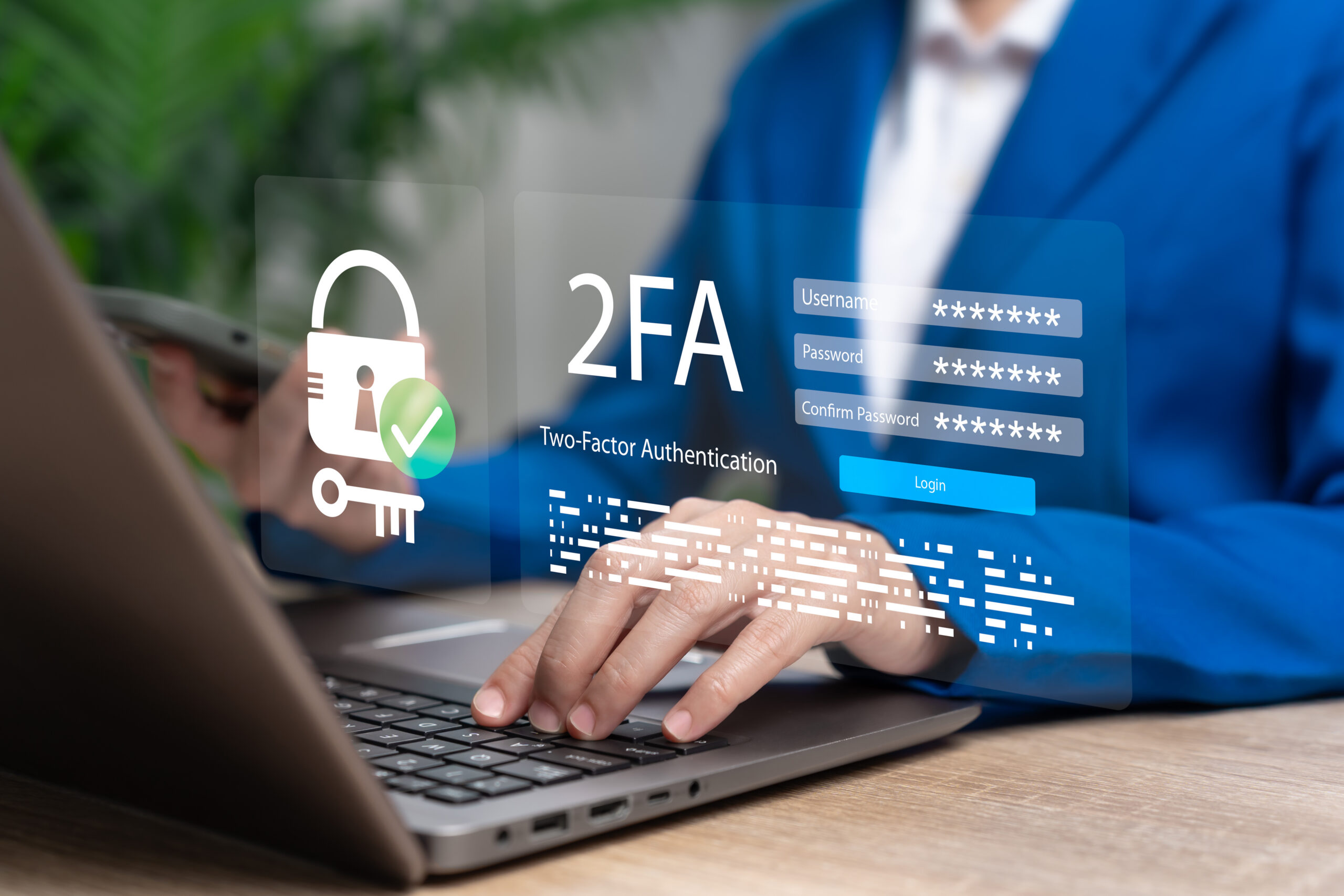
MFA for small business is the practice of requiring every employee to prove who they are with a second factor, such as an authenticator app, a passkey, or a security key, before signing in to email, cloud apps, or the company network. It is one of the most effective controls available against stolen-password attacks.
This guide covers which MFA methods hold up against modern phishing, whether the MFA built into your email platform is enough, what drives cost, and how to roll MFA out without locking people out of their accounts. It is written for owners and office managers at firms with roughly 5 to 200 employees.
Get Expert IT Support, Today
Downtime costs more than just productivity. Our team delivers fast, reliable IT solutions, so you can focus on what matters most.
What Is the Best Multi-Factor Authentication (MFA) for a Small Business?
For most small businesses, the best multi-factor authentication (MFA) solution is the one you can enforce on every account, including admin and remote access accounts, using phishing-resistant methods wherever possible. Coverage matters more than brand.
MFA works. A 2023 Microsoft Research study of business accounts showing suspicious activity found that enabling MFA reduced the risk of account compromise by 99.22%. Even for accounts whose passwords had already been leaked, risk dropped by 98.56%.
This matters because stolen passwords remain one of attackers’ main ways in. The Verizon 2025 Data Breach Investigations Report, which analyzed more than 12,000 confirmed breaches, found that credential abuse was the most common initial access vector, present in 22% of cases.
The best choice depends less on brand than on what your business already runs, which MFA methods it supports, and whether protection applies to every sign-in. A basic tool enforced everywhere beats a premium tool with exceptions. MFA is one part of small business cybersecurity, but it doesn’t replace backups, software updates, or device protection.
Which MFA Methods Are Phishing-Resistant?
FIDO2 security keys and passkeys are the only widely available phishing-resistant MFA methods. Authenticator apps with number matching are the next best option. Text message codes are the least secure common form of MFA.
Not all MFA methods offer the same level of protection. According to CISA’s MFA guidance, FIDO/WebAuthn is the only widely available form of phishing-resistant authentication. FIDO methods include physical security keys and passkeys stored on a phone or laptop. They work because credentials are bound to the legitimate website, so a fake login page can’t capture them. Former CISA Director Jen Easterly described FIDO as the gold standard for MFA.
When FIDO isn’t practical yet, CISA recommends number matching as an interim measure in its guidance, Implementing Phishing-Resistant MFA. The user has to enter a number shown on the login screen into the app. That shuts down “MFA fatigue” attacks, where an attacker keeps sending approval requests until someone gives in and taps “Approve.”
Current federal guidance favors passkeys. NIST published the final version of NIST SP 800-63-4 in July 2025. It accepts synced passkeys at its intermediate assurance level (AAL2) but not at the highest level (AAL3). In practice, synced passkeys meet the NIST standard for typical business accounts, while the highest-security level still requires device-bound keys.
Is the MFA Built Into Your Email Platform Enough?
For many small businesses, yes. Major business email and productivity platforms include MFA that can be enforced for all users. Third-party solutions add value mainly when you also need to protect VPNs, on-premises servers, or applications outside those platforms.
Built-in MFA protects one of the accounts attackers want most: email. For an office that works almost entirely in the cloud, turning on and enforcing your platform’s own MFA closes a major gap quickly. The downside is flexibility. Basic built-in settings usually apply the same policy to every user, with limited sign-in options and no custom rules.
Custom rules, such as requiring stronger verification from unfamiliar locations or unmanaged devices, usually require a higher license tier or a separate identity product. Before buying another MFA tool, check what your current subscription includes. Plenty of businesses already pay for security controls they’ve never turned on.
Third-party MFA is especially useful when the business has systems the email platform can’t protect: a VPN, remote desktop servers, an on-premises file server, or older business applications. In those cases, one MFA tool that covers everything is easier to manage than juggling several.
Comparing MFA Solutions for Small Businesses
Small business MFA solutions fall into three categories: MFA built into email platforms, dedicated MFA tools, and full identity management platforms. They differ mainly in scope, from protecting sign-ins to managing identity end to end.
Built-in platform MFA. Included with Microsoft 365 and Google Workspace, it’s the fastest way to get started and protects email and connected cloud apps.
Dedicated MFA tools. Products such as Cisco Duo and WatchGuard AuthPoint focus on adding a second authentication factor to as many systems as possible, including VPNs and on-premises servers. They’re a common pick for offices that mix cloud services with their own equipment. WatchGuard AuthPoint often appeals to businesses that already use WatchGuard firewalls.
Full identity management platforms. Microsoft Entra ID, Okta, and JumpCloud combine MFA with single sign-on (SSO), user directories, and in some cases device management. They suit businesses that manage lots of apps, hire often, or run a mix of Windows and Mac computers.
When comparing options, look at which systems each one can protect, which MFA methods it supports (especially passkeys and security keys), how it handles account recovery, and how well it fits the platforms you already use.
What Determines the Cost of MFA for Small Businesses?
Affordable small business MFA usually starts with the tools the organization already pays for. Cost depends on the number of users, features needed beyond basic MFA, physical security keys, and time spent on administration.
Many email platforms include basic MFA at no additional licensing cost, and some specialized vendors offer free plans for very small teams. For a lot of offices with fewer than 10 employees, that may be enough. Costs go up when the business needs conditional rules, protection for more systems, reporting for auditors, or single sign-on.
Identity platforms typically charge per user per month, and some require annual contracts or minimum purchases. Physical security keys are a one-time purchase per user, and many businesses buy two per person so everyone has a backup.
The license price is only part of the cost. Factor in setup time, staff training, and the support hours that pile up when someone loses their phone. Vendor pricing changes often, so confirm it directly before making a decision.
Which Systems Should MFA Protect?
MFA should protect email, remote access (VPN and remote desktop), cloud applications, admin accounts, and backup systems. A single unprotected access point can compromise everything else.
One of the most common problems is partial coverage. A business turns on MFA for email but leaves the VPN, a business application, or the backup console protected only by a password. Attackers look for exactly those exceptions.
Remote teams complicate things, because employees connect from home networks, personal devices, and different browsers. Every one of those sign-ins needs the same two-factor authentication (2FA) check as someone sitting in the office.
Insurers point to similar priorities. In a Hummel Group article, the firm’s IT director and a business account executive explain that insurers expect MFA for remote network access, email, and privileged or administrative accounts. That list is a practical minimum for any small business, whether or not it carries cyber insurance.
Windows sign-in is a separate decision. Cloud MFA protects applications and email, but protecting the laptop login itself usually takes extra configuration or a separate tool, such as biometric sign-in or a security key policy. Shared computers at front desks or in exam rooms deserve special attention, since several people often use one account.
MFA Requirements for Compliance and Cyber Insurance
Several regulations that apply to small businesses already require MFA, including the FTC Safeguards Rule and PCI DSS. Most cyber insurers now expect businesses to have MFA on email, remote access, and admin accounts before issuing or renewing a policy.
The FTC Safeguards Rule applies to many non-bank financial businesses, including tax preparation firms and investment advisers not registered with the SEC. FTC guidance states that covered businesses must require MFA for anyone accessing customer information on their systems. That makes MFA a baseline obligation for many tax preparers and state-registered investment advisers.
Businesses that accept card payments are subject to PCI DSS v4.0.1. Under Requirement 8.4.2, MFA is mandatory for all non-console access to the cardholder data environment, whether the user is in the office or working remotely.
For medical practices and healthcare organizations, the U.S. Department of Health and Human Services (HHS) proposed changes to the HIPAA Security Rule in January 2025 that would make MFA an explicit requirement. Whenever those changes are finalized, the current rule already requires access controls and person or entity authentication, and MFA is a common way to meet both.
On the insurance side, security gaps can affect coverage. According to a summary of insurer requirements published by centrexIT, some carriers still issue policies without MFA on email but may exclude business email compromise claims. That’s one of the incidents small businesses worry about most.
MFA vs. SSO vs. Passwordless Authentication
MFA verifies identity using more than one factor. Single sign-on (SSO) lets users access multiple applications after a single authentication. Passwordless authentication replaces the password with a passkey or security key. Over time, most small businesses benefit from combining all three.
MFA on its own protects each application separately, which can mean several prompts a day. SSO cuts down on that: employees sign in once, with MFA, and can then get into email, the CRM, and other connected apps without signing in again. It also makes offboarding simpler, because disabling one account cuts off access to every linked system.
Passwordless authentication is where the market is heading. A passkey stored on a phone or laptop combines “something you have” with “something you are” (face or fingerprint recognition) or “something you know” (a PIN). That gets rid of the password attackers usually try to steal. Many major business platforms already support passkeys, so the switch can happen gradually instead of becoming its own project.
How to Roll Out MFA Without Locking Employees Out
A smooth MFA rollout registers at least two authentication methods per employee, starts with administrators, sets up a clear account recovery process before enforcing MFA, and gives staff a short enrollment window with support available.
Account lockouts are one of the main reasons employees push back on MFA, and many happen because only one sign-in method was registered. Current NIST guidance encourages organizations to offer at least two independent ways to authenticate, which also makes recovery easier. A practical setup pairs an authenticator app or passkey with a backup security key or recovery codes stored somewhere safe.
Rollout order matters. Protect admin accounts first, because they carry the most risk and are usually held by a few technical people. Next, add employees with access to financial, customer, or patient data, then everyone else. Most platforms let administrators generate temporary backup codes, which helps when someone loses a phone or key mid-rollout.
Write down the lost-phone procedure before enforcing MFA, and expect more support requests during the first few weeks.
How to Choose MFA Based on Company Size
Businesses with fewer than 10 employees can generally use the MFA built into their email platform. Organizations with 11 to 50 employees benefit from conditional rules. Between 51 and 200 employees, a full identity management platform or a managed MFA service starts to make more sense.
1 to 10 employees. Turn on and enforce the MFA built into your email platform. If you also need to protect a VPN or on-premises server, a dedicated MFA tool can cover it. Buy at least one physical security key for the owner’s and administrators’ accounts.
11 to 50 employees. At this stage, applying the same MFA to everyone can start to cause friction. Conditional rules (stronger verification from unfamiliar locations or unmanaged devices, and fewer prompts in the office) help. Check whether your current subscription already includes them before buying something new.
51 to 200 employees. Identity management turns into real ongoing work: onboarding and offboarding, reviewing app access, and keeping track of trusted devices. An identity platform makes sense here, as does handing day-to-day administration to a managed IT services provider or co-managed IT services.
At any size, the deciding question stays the same: can every account, application, and remote connection be protected with no exceptions? If the answer is no, that gap matters more than the vendor you choose.
When Should a Small Business Use a Managed MFA Service?
A managed MFA service makes sense when no one inside the business has time to enforce MFA across every system, track exceptions, handle lost devices, and document controls for auditors and insurers.
MFA isn’t a one-time setup. New employees need to register their sign-in methods, departing employees need to lose access quickly, and new applications have to be brought under the policy. Insurance applications and compliance audits also increasingly ask for documented proof, such as policy screenshots or sign-in reports, instead of a checked box. A managed provider handles that upkeep and supplies the documentation.
For St. Louis businesses that already need more than occasional tech support and one-off fixes, strengthening MFA coverage is a practical first step in a broader security plan. If you’d like a second look at your current setup, talk to our team.
Small Business MFA FAQs
Do small businesses need MFA for email?
Yes. Email is one of the accounts attackers target most, since it can be used to reset other passwords and send fake invoices to clients and vendors. Most cyber insurers expect businesses to have MFA on email before issuing a policy, and major business email platforms include MFA settings that administrators can enforce.
Is 2FA the same as MFA?
Two-factor authentication (2FA) is a type of MFA that uses exactly two factors, such as a password and a code from an authenticator app. MFA is the broader term for any sign-in that requires two or more factors. For most small businesses, the two terms mean the same thing in practice.
Is text message (SMS) MFA good enough?
SMS codes are better than no MFA, but they’re the least secure common option. Microsoft’s 2023 research found that authenticator apps performed better than text message codes, though both were far more secure than a password alone. Whenever you can, use an authenticator app with number matching, or passkeys.
Is there free MFA for small businesses?
In many cases, yes. Many business email platforms include basic MFA, and some specialized vendors offer free plans for very small teams. Free options usually trade flexibility for lower cost: fewer sign-in methods, no custom rules, and limited reporting.
Do passkeys count as MFA?
Yes. A passkey combines something you have (the device storing the key) with something you are or know, such as a fingerprint, facial recognition, or the PIN that unlocks the device. Under NIST SP 800-63-4, synced passkeys meet the requirements for typical business accounts, and CISA considers FIDO-based passkeys phishing-resistant.
What happens if an employee loses their phone?
With a documented recovery process, the employee signs in with a backup method, such as a second security key or recovery codes, and an administrator then removes the lost device from the account. If there’s no backup method, an administrator has to verify the employee’s identity and reset their MFA by hand. That takes longer, and attackers sometimes target that reset step.
Disclaimer: This article is for general informational purposes only and does not constitute legal, regulatory, or insurance advice. Legal, compliance, and insurer requirements change and vary by organization. Consult a compliance attorney and your insurer to understand your specific obligations. No security control, including MFA, guarantees protection against every attack.